
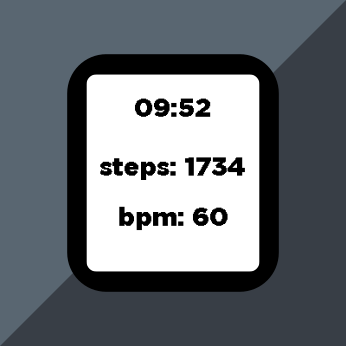
I recently received my shiny new Pebble Time 2 after about a decade wearing a Pebble Time, and before that an original Kickstarter-edition Pebble. Along with the new hardware, the Pebble devs have teamed up with Moddable to provide Alloy, a JavaScript framework for developing Pebble apps and watchfaces. Since I do sometimes consider myself a JS developer, I figured it would be fun to finally build a watchface more complicated than the Owl Cave watchface. Aside from problems with memory limitations (I am not a C developer…), it’s really great! It lets you write modern JS, and has access to a few APIs for the battery, Bluetooth connection, etc.
A few months before I joined, someone asked a deceptively simple question on the Pebble forum:
Is there a way to get step count data in an Alloy watchface?
This was also a question I had, but there were no satisfying answers in the replies. So, I figured I’d have a go at it myself.
I looked at the Moddable docs about XS in C and language extension features, hoping there was a bridge from JavaScript to the Pebble health service APIs that exist in C. Unfortunately, using the @ extension did not compile, and using the Native API threw errors at build time. As far as I can tell, the XS in C features are not supported in Alloy.
So, that’s a dead-end, right? Time to give up, pack it in and go home.
Well, the thing is, I was able to confirm that Pebble C APIs were indeed available in the C code entrypoint of a standard Alloy watchface project, the mdbl.c file, such as:
#if PBL_API_EXISTS(health_service_peek_current_value)
	int32_t heart_rate = (int32_t)health_service_peek_current_value(HealthMetricHeartRateBPM);
	APP_LOG(APP_LOG_LEVEL_INFO, "BPM: %d", heart_rate);
#endifAnd that was just too tempting to ignore.
So, we know the C APIs work, and we know we can’t access them directly in Alloy JS, but there is a 3rd component to Pebble watchfaces…
The PKJS Relay
PKJS, a.k.a PebbleKit JS, is JavaScript that runs on the phone that the watch is paired to. This is probably most often used for configuration screens, but it can also serve as a relay for things like HTTP requests, geolocation, and localStorage. And, crucially, both the C APIs and Alloy APIs provide a way to communicate with it.
That means we can use PKJS as a relay:
- Subscribe to events and read health data in C
- Send that data through
AppMessageto PKJS - Forward it from PKJS to Alloy JS on the watch
- Render it in Alloy
Instead of a code dump in this blog post, I’ve created a working demo repo that relays step count & heart rate BPM:
I tried to keep the health relay piece modular enough to copy/paste into other projects with minimal surgery. The main pieces are:
- Copy the health relay C files in
src/c/modules/and wire it up inmain() - Add the PKJS
AppMessagelistener/forwarder - Handle the forwarded message in Alloy JS
- Add the
healthcapability inpackage.json
Downsides and caveats
The obvious downside is latency and dependency surface: data goes watch C → phone bridge → watch JS, which is more moving parts than anyone really wants for local metrics.
The less obvious downside is memory pressure. Alloy plus extra modules can get tight fast, and the watchface project that caused me to build this demo forced me to spend more time than I wanted profiling startup memory behavior and module overhead. Adding instrumentation that logs memory usage and other stats once per second is very useful.
Of course, ideally, Alloy would have access to health service features directly, but:
It unblocks people today.
If you are building an Alloy watchface and want health data now, this gets you there with currently available tools. If better Alloy-compatible health APIs land later (post May 2026), great, use them instead of this.
Until then, this one ships.
- Forum thread that prompted this: AlloyJS WatchFace and Health Data
- Demo repository: pebble-c-pkjs-alloy-relay
 💬
cr0ybot’s creations
💬
cr0ybot’s creations